The Expert4x MA-Knot Trader
Automated Explosive Market Move Catcher
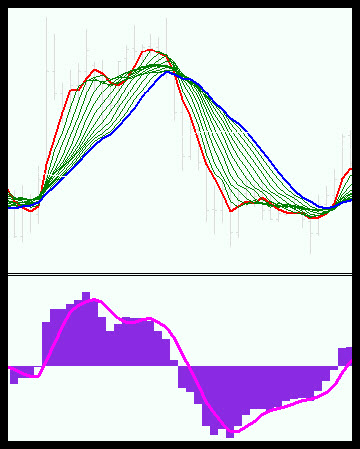
The MA-Knot Trader uses 14 Moving Averages. These are used to identify the market phases, but more importantly, to find the knots where powerful breakouts can occur. The MACD indicator is reliable in providing the direction of trade.
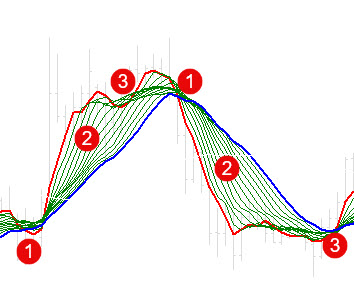
To know how the MA-Knot EA works you need to understand the 3 main market phases work. These phases are very easily identified when using multiple Moving Averages
The 3 Phases are:
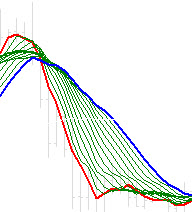
- Consolidation at times of uncertainty. During this phase, the short-term traders (scalpers) and the longer-term traders (Swing Traders and Investors) are happy that the price is at a fair value. All the Moving averages create a “knot” where they are all very close to each other. It only takes a small bit of information or an event to happen that will disrupt this phase and push the market into the next phase.
- The Strong Trend phase happens when new information about one or both currencies is experienced, and the market reacts very strongly to the news. Often, the market overreacts, and people panic and try to climb in on the trend that develops, which further fuels the trend even more.
- The Proft Taking and sanity phase. During this phase, the market realises that it might have overreacted, and traders start taking profit, stop supporting the trend, and some may even start trading against the trend. The trend starts slowing down, starts reversing, starts consolidating. This can often lead to the Phase 1 consolidation phase, and the process repeats itself again.
Clearly, the most gains can be made during Phase 2 when there is a strong trend in place. Using the Knot principle, the MA-Knot Trader attempts to catch the breakout out of the Phase 1 consolidation BEFORE it happens. It uses the MACD to provide the direction of the Breakout.
<< View this video for more details
INITIAL TESTING
Initial testing gave good results, but there is one significant weakness of this trading strategy - knots do not occur very often, so trade frequency is low. After initial testing, the ability to trade multiple currency crosses (portfolio trading) was added.
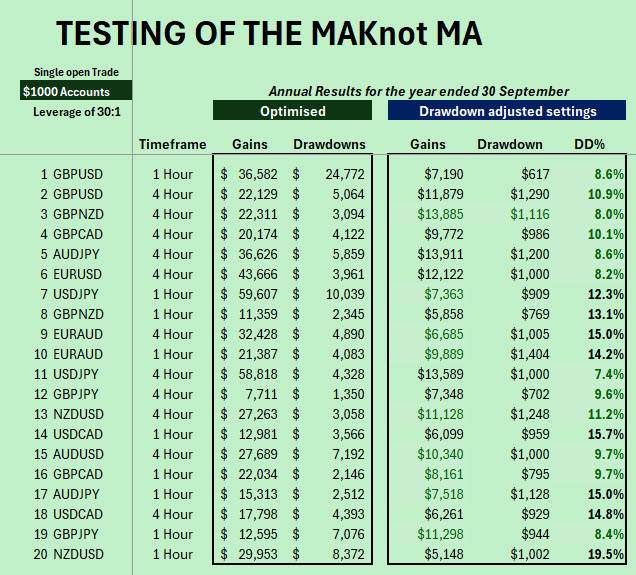
INITIAL TESTING SEPT 25
-
$1000 Accounts have been used
-
Low leverage can be used.
-
Only 1 trade is open at the same time (US Broker compliant)
-
The profit and drawdown optimised results show the full potential of the Robot
-
The Drawdown adjusted settings are settings that are likely to result in lower drawdowns for $1000 accounts
-
The Drawdown % (DD%) is at acceptable levels
-
The test period is for the year ended 30 September
Recent Tests after adding a portfolio approach
These test results not only show significant gains on a $1000 account but also the Robot's ability to trade multiple currency crosses. The big surprise is the success rate that was consistently higher than 90%!
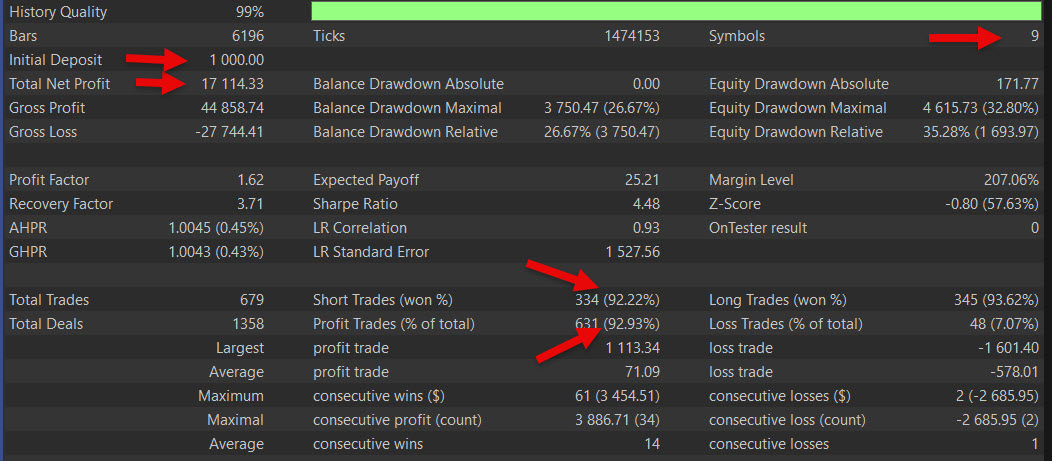
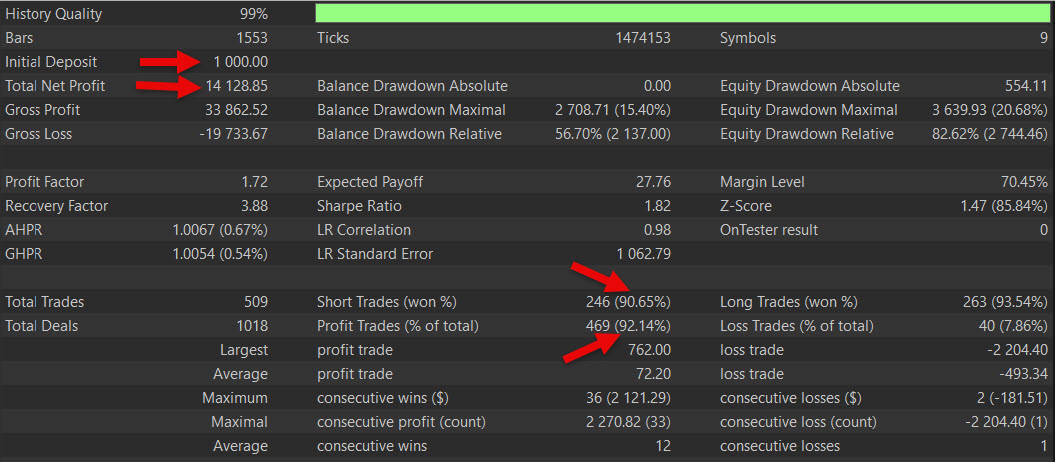
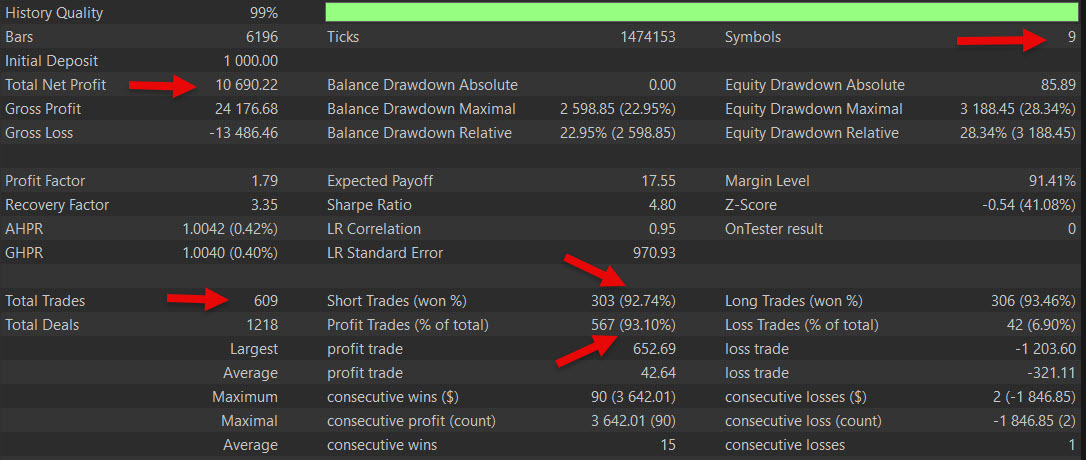
Please note that strong trends do not occur frequently. It is essential to trade this Robot in a balanced portfolio of 4 to 10 instruments to ensure regular capture of strong trends.
How the MA-Knot Trader works.
The MA-Knot Trader uses 14 Moving Averages. These are used to identify the market phases, but more importantly, to find the knots where powerful breakouts can occur. The MACD indicator is reliable in providing the direction of trade.
Please use the explanations below to better understand how the settings achieve this.
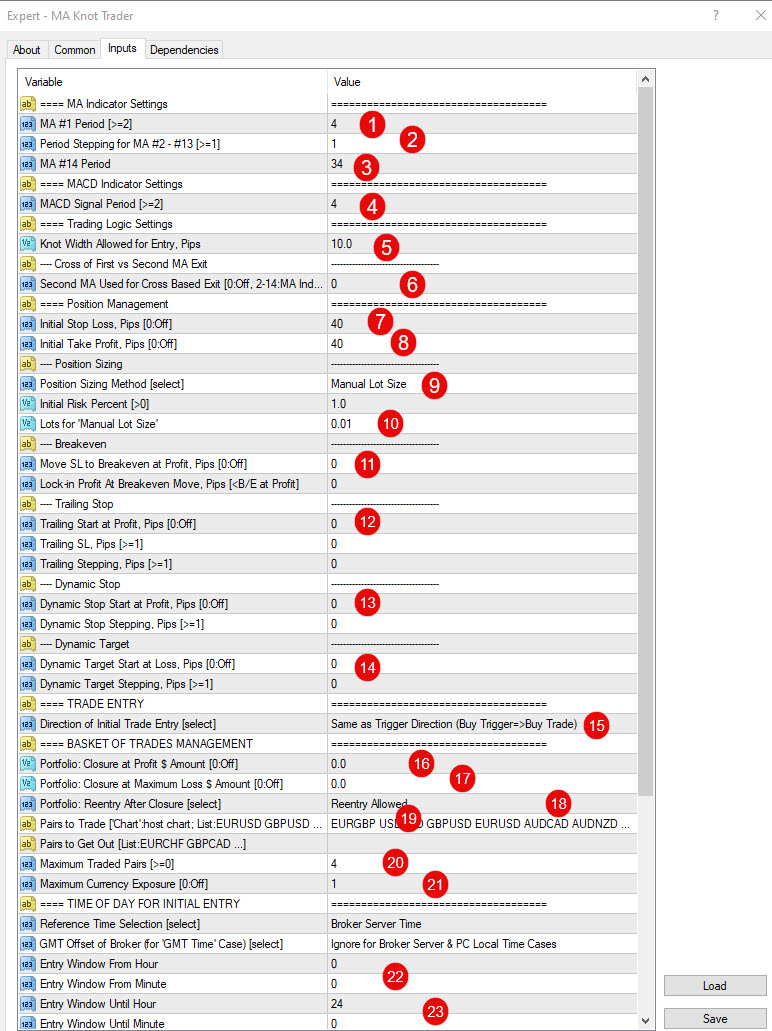
Review of the settings:
-
The Robot uses 14 moving Averages. The 14th Moving Average is used as a long-term trend guide. The first 13 Moving Averages start with a fast setting, and then the settings for the following moving averages are increased by a fixed period factor (or Step) up until the 13th moving Average. The MA #1 setting is the period for the 1st All MAs use simple MAs.
-
This is the stepping factor or the Steps by which MA will be increased.
-
The MA period setting for the long-term MA should be bigger than the 13th
-
The MACD creates a signal when the signal line crosses the MACD indicator. This setting is for the period of the signal line. The smaller the setting, the more sensitive the signals
-
The EA will trade when the MA’s knot. Hence the name of the EA. This setting is to tell the EA how close all the EAs should be to be regarded as a knot.
-
The moving average crossover can be an excellent exit signal. The first MA will always be the fastest. The trader can use this setting to stipulate the slower MA for this crossover.
-
Setting for the initial stop for the current open trade
-
Setting the initial Target for the current open trade. There will only be 1 open trade at a time.
-
Position sizing can be based on Manual fixed lots or a % of Equity. Use this setting to specify which one you want to use. It is recommended that fixed is used initially.
-
Specify the size of the % of the lot size you want to use. The smaller the better initially.
-
A breakeven stop is provided
-
A trailing stop is provided
-
A Dynamic stop is provided
-
A Dynamic target is provided
-
You can select to trade using the direction of entries, as the EA is designed to trade, or in the opposite direction. Turn losing strategies into winning strategies.
-
When there are many open trades, you can close them when the total profit reaches a specified $ amount.
-
When there are many open trades, you can close them when the total loss reaches a specified $ amount.
-
You can choose to re-enter or stop trading after a basket closure
-
You can specify the currencies you want to be considered for entries
-
You can specify the maximum number of open currency crosses at the same time
-
You can specify the maximum number of times a currency can be used.
-
Specify times when entries can be taken
-
Specify times when entries can be taken
The MA-Knot Trader reminds us of the Victoria Falls in the way it catches strong, big trends

SUPPORT
The MA-Knot EA comes with a comprehensive User Manual

TECHNICAL AND TRADING SUPPORT
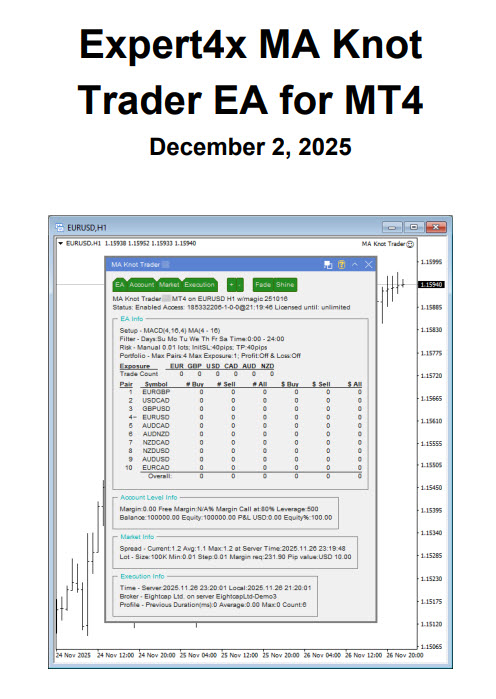
Besides a comprehensive user manual, on your right is an example of the knowledge base that comes with every EA supplied. It covers every topic that you need to know to make a success of your EA trading and covers all EA problem-solving approaches. It is easily accessible by clicking on the Help icon when the EA is loaded.
Support also includes highly professional email support from EAFactory on any technical problems.
A Dedicated Forum
Use this link to view the forum: https://www.forextradingsetups.com/the-movingaverage-knot-trading-robot-991549
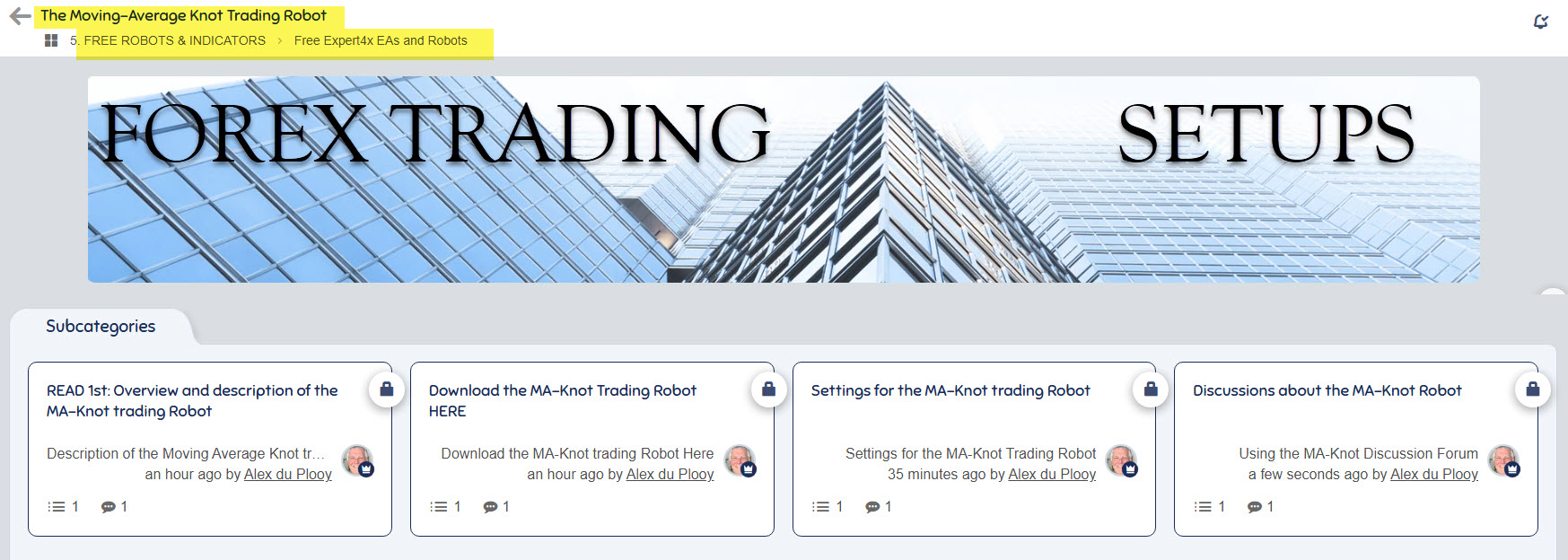
How to start trading the MA-Knot trading Robot.
The MA-Knot EA will be launched in early 2026. Members of the Paid Premium Forum can, however, start trading right now for FREE!!
Click Here to download the MA-Knot EA
DOWNLOAD

QUESTIONS & ANSWERS
-
 What is the minimum capital required to trade the MAKnot Trader?
When using cent accounts, you can use a little $10 per instrument. That represents $1 000 per instrument, which is the account size used for the results above. So trading up to a portfolio of 6 currencies is possible with 0.1 lots and a $1000 account.
-
Is this MAKnot Trader US compatible?
As the MAKnot Trader only trades one trade at a time per instrument, and no hedging happens, it complies with US broker requirements